SAIM Terms & Definitions
Index
A
-
As-Built Model
This is a 3D model of the facility created from LiDAR scans. It captures the exact shape of the asset as it currently stands, like a “snapshot” of its real-life structure.
B
-
Benchmark
A way to compare different things, regardless of their size or complexity, on equal terms. Think of it as a tool to see how similar things measure up.
-
Breadcrumbs
A navigation tool is located at the top left of your screen. Clicking links in this area takes you back to previous pages, making it easy to retrace your steps.
C
-
CMMS (Computerized Maintenance Management System)
A software designed to centralize maintenance data and streamline the processes of planning, monitoring, and optimizing maintenance activities.
D
-
Digital Twin
A comprehensive virtual representation of the physical facility, incorporating both static data (such as photos, 3D models, and documents) and dynamic data (like inspection records, maintenance activities, and real-time signals). It acts as a single source of truth for stakeholders across IT and operations, enabling proactive maintenance and ensuring compliance with industry standards throughout the facility’s lifecycle.
F
-
Facility Digital Services
A suite of technology-driven services SAIM offers, including laser scanning, 3D modeling, IoT real-time monitoring, and CMMS inspection tracking, designed to optimize the facility’s operational efficiency.
-
Feature Request
An idea or suggestion for a new or improved feature in SAIM or SAIM Inspect. This could be something brand new or an enhancement to make existing features better.
G
-
Group
Used to organize tasks by assigning them to a specific “bucket” of work. For example, you can create groups based on shifts or roles, making it easy to filter tasks and work orders.
H
-
HMI (Human Machine Interface)
An interactive display that allows operators to visualize and monitor facility operations. HIM is an essential interface for overseeing real-time processes.
I
-
Inspection and Maintenance Module
This module in SAIM acts as a CMMS, organizing, planning, and tracking field and office maintenance activities for assets.
-
IoT (Internet of Things)
The concept of connecting devices in your facility to an online platform. This lets you view real-time data for analysis and insights. In industrial settings, you might hear this referred to as the Industrial Internet of Things (IIoT).
K
-
KPI (Key Performance Indicator)
This is a metric that tracks the performance of a particular quantity over time, helping you keep an eye on essential trends.
L
-
Laser (LiDAR) Scanning
A precise scanning technology that captures a 3D point cloud of the facility’s structures. This data is accurate to millimeter levels and is essential for creating digital models and assessments.
M
-
Maintenance Templates
Templates are used as starting points to set up recurring tasks. These ensure tasks are completed consistently over time.
N
-
NFC (Near Field Communication) Tags
These tags allow SAIM to track and record the specific location where maintenance work is completed, enhancing traceability and accuracy in the maintenance history.
P
-
Planned Maintenance Schedules
This feature helps you schedule maintenance for equipment. You choose the asset, maintenance type, frequency, and assignment details, and SAIM will handle the rest by automatically generating maintenance tasks.
-
PLC (Programmable Logic Controller)
A mix of hardware and software that brings together, analyzes, and communicates facility signals, often feeding information to the HMI.
-
Point Cloud
Created by 3D scanners, these are collections of points representing the surfaces of objects around them, like a digital representation of your facility’s shape.
R
-
Related Tasks
Tasks generated from the same planned maintenance but scheduled for different dates. These are recurring tasks created to maintain consistency in asset care.
-
Reverse Geometrical Model
A 3D model created from laser scan data of the facility, providing a “reverse-engineered” look at the asset’s geometry.
-
Role
This groups permissions for users, defining what each user can do within SAIM based on their job duties.
S
-
SAIM Inspect
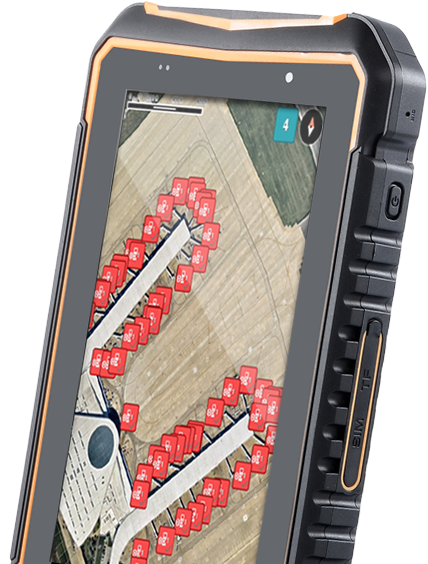
A mobile app primarily used by operators for task management. It includes features like NFC scanning, timekeeping, and paperless work order creation.
-
SCADA (Supervisory Control and Data Acquisition)
This system includes the PLC, HMI, and all the necessary instruments to visualize, operate, and control equipment within the facility.
-
Software Incident
A reported issue in SAIM of SAIM Inspect where a feature isn’t functioning as expected. The support team categorizes these issues to prioritize and address them efficiently.
-
Sync
Syncing sends information over the web so it’s saved and visible in SAIM.
T
-
Task
A planned maintenance action generated by SAIM’s Inspection and Maintenance module.
-
Task ID
The identifier for a specific task within a series, making it easy to track and manage tasks over time.
U
-
User
A person who can log into the system with a unique email and password. Every user has specific permissions based on their role.
W
-
Work Order
An on-demand task, usually created by an operator to report issues, broken equipment, or other as-needed work
SAIM unlocks your team’s potential.
From reducing downtime to staying audit-ready, SAIM gives you clarity, efficiency, and confidence, so your team can focus on the work that matters most.- Know it’s getting done. Track tasks, inspections, and work orders in real time.
- Avoid costly surprises. Spot asset issues early with live data, trends, and predictive insights.
- Stay ready. Keep documents, drawings, and compliance records accessible anytime.